SIMPLE — Technical Overview
SIMPLE is a research-grade toolchain for deploying synchronized multi-user VR classroom sessions. It lets researchers and educators run GAMA agent-based simulations that students experience simultaneously through Meta Quest VR headsets, with a web-based control panel for the session operator.
The project is developed at IRD (Institut de Recherche pour le Développement), UMMISCO lab, under the ACROSS program. It is co-funded by the European Union.
System architecture
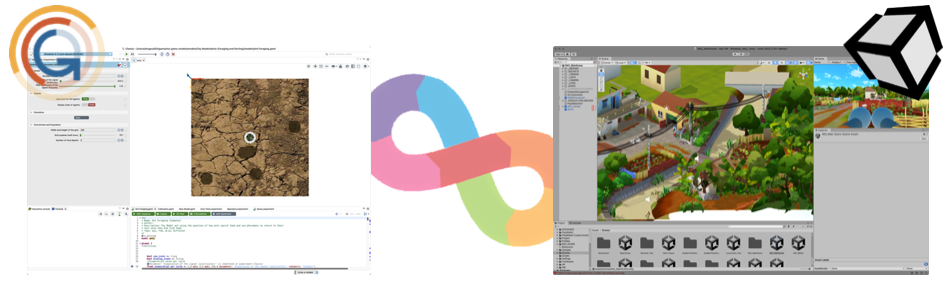
A SIMPLE session connects three software layers:
| Component | Role |
|---|---|
| GAMA platform | Runs the .gaml simulation model. Exposes a WebSocket server (port 1000 by default). |
| WebPlatform | Central hub. Acts as a WebSocket client toward GAMA and as a WebSocket server toward headsets and the admin UI. Also serves the admin UI as a static web app. |
| Admin UI | Browser-based control panel. Operators select simulations, launch/stop/pause experiments, and monitor headset streams. |
| Unity VR app | The student-facing VR application. Built from the SIMPLE Unity template, it connects to the WebPlatform and renders the simulation in VR. |
Components
WebPlatform
The WebPlatform (simple.webplatform/) is a Node.js application. It:
- Connects to GAMA as a WebSocket client and relays simulation output to headsets.
- Acts as a WebSocket server for VR headsets (port
HEADSET_WS_PORT, default 8080). - Acts as a WebSocket server for the admin UI (port
MONITOR_WS_PORT, default 8001). - Serves the React admin UI as static files (port
WEB_APPLICATION_PORT, default 8000). - Manages ADB connections to Meta Quest headsets for screen mirroring via scrcpy.
- Controls an APC UPS for the M2L2 portable classroom deployment.
The WebPlatform ships as a self-contained executable (Linux, Windows, macOS x64) that bundles both the Node.js backend and the compiled frontend.
See the WebPlatform section for full details.
GAMA Plugin
The GAMA plugin (simple.toolchain/GAMA Plugin/) extends the GAMA platform with:
- Two abstract species:
abstract_unity_linkerandabstract_unity_player. - A new experiment type:
VR_Experiment, that instantiates a linker automatically. - Three new GAML types:
unity_property,unity_aspect,unity_interaction. - Operators and actions for sending geometries, terrain, water data, messages, and player movement to Unity.
Plugin version: 2.0.0 (artifact gaml.extension.unity). Requires GAMA ≥ 2025-01.
See the GAMA Plugin section for installation and the GAML API reference for the full API.
Unity Template
The Unity template (simple.toolchain/Unity Template VR/) is a Unity 6 project (version 6000.3.8f1) that provides:
- Pre-configured VR scenes for single-player and multi-player experiences.
- A
ConnectionManagercomponent that connects to the WebPlatform. - Prefabs for receiving geometry, terrain, water, and agent animation data from GAMA.
- Interaction prefabs (grab, select, teleport).
- Code example scenes matching each GAML code example model.
See the Unity template guide for setup.
Virtual Universes
A Virtual Universe (VU) is the combination of a GAML model file and a Unity scene that together form one deployable simulation experience. VUs are distributed as folders containing:
- A GAML model (
.gamlfile). - A
settings.jsondescriptor that the WebPlatform reads. - A Unity APK (pre-built for Meta Quest) or Unity project for custom builds.
- Optional assets (maps, shapefiles, textures).
The WebPlatform scans the learning-packages/ directory for settings.json files and presents found VUs in the admin UI.
See Virtual Universe settings reference for the settings.json format.
M2L2 — Portable Classroom
M2L2 is a portable classroom-in-a-box hardware kit built around Mac minis, Meta Quest headsets, a WiFi access point, and an APC UPS. The WebPlatform integrates UPS monitoring (optimized for the APC Back-UPS BX2200MI) and a 3-hour session timer that cleanly shuts down all headsets and the host computer when running on battery.
Where to go next
| Goal | Page |
|---|---|
| Set up the full dev stack | Quick Start |
| Install GAMA and the SIMPLE plugin | GAMA Installation |
| Install the WebPlatform | Install the WebPlatform |
| Install Unity and open the template | Unity Installation |
| Configure environment variables | .env Reference |
| Understand the WebSocket protocol | WebSocket API Reference |
| Browse the GAML API | GAML API Reference |